Your current statement and paying fees
Your Account Statement shows what your organization has charged for the current school year, what's been paid, and what's still owed.
Where to find it
Sign in and open myAccount. Your statement for the current academic year loads there.
Parents with more than one student get a Select Student picker — each student has their own statement, and you switch between them rather than seeing a combined total.
The same page has a Previous Years' Statements section for closed-out years. See Viewing past statements.
Reading the statement
Four figures matter:
| Figure | What it means |
|---|---|
| Total Fees | Everything charged to this student this year |
| Paid | What's been received so far |
| Balance | What's still owed — the number to act on |
| Total Accrued Credits | Credit earned through fundraising and available to apply |
Below them, each fee is listed individually. Open one to see its detail, including any credits already applied.
Credits reduce what you owe, but not automatically
Accrued credits are money your student has earned — usually through fundraising. They sit available until they're applied to a specific fee.
Some organizations let you apply them yourself — see Using your credits below. Otherwise your director does it.
If you have credits and expected a lower balance, ask your director before paying.
Paying online
- Choose the fee or fees you want to pay.
- Pick a payment method. The list is set by your organization.
- Review the total on the Checkout page — cart items and payment options are shown before anything is charged.
- Select Pay Now.
Card payments and PayPal are both supported, depending on what your organization has set up. You don't need a PayPal account to pay by card.
Your organization may add a processing fee
Schools can pass card and PayPal processing costs on to the payer, as a fixed amount, a percentage, or both. When one applies it's shown on the checkout page before you pay — the total you confirm is the total you're charged.
If the total looks higher than your balance, this is usually why.
Money goes to your organization's own account. myblueboard doesn't hold it.
Paying by cash or check
Hand it to your director. They record the payment against your account, and your statement updates once they do.
That's a manual step by a person, so there's a lag between paying and seeing it reflected. If a week goes by and your balance hasn't changed, ask — don't pay twice.
Splitting a fee into payments
Some organizations let families split a fee into several smaller amounts rather than paying it all at once.
If yours does, you'll be offered the option to split a fee and enter the amounts you want it broken into. The pieces then appear as separate fees you can pay independently.
Two things to know:
- Splitting is a per-organization setting. If you don't see the option, your organization hasn't enabled it. Ask your director — they can still often arrange a plan directly.
- Undoing a split is a separate setting, so your organization may allow splitting without allowing you to reverse it.
- A split can only be undone before it's used. Once any part has been paid or has credits applied to it, it can't be recombined.
Split before you start paying, not partway through.
Credits and transfers
If your student has accrued credits — from fundraising, a raffle, an overpayment — they appear on the statement under Available Credits.
Using your credits
If your organization has turned this on, a Credit Transfer Request button sits on the statement. It lets you put your own credits toward one of your own fees.
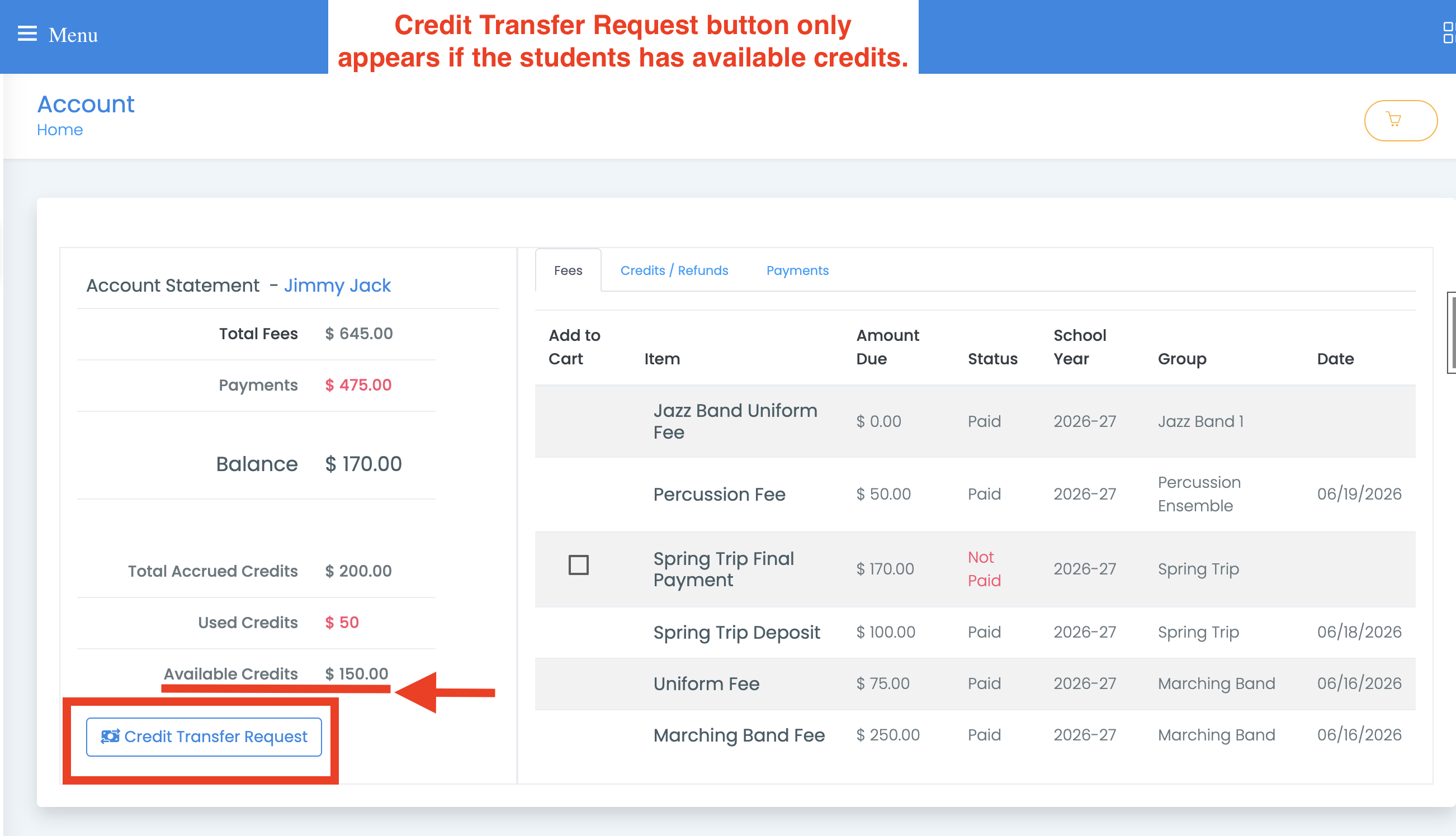
- Select Credit Transfer Request. With more than one student, use the button on that student's statement.
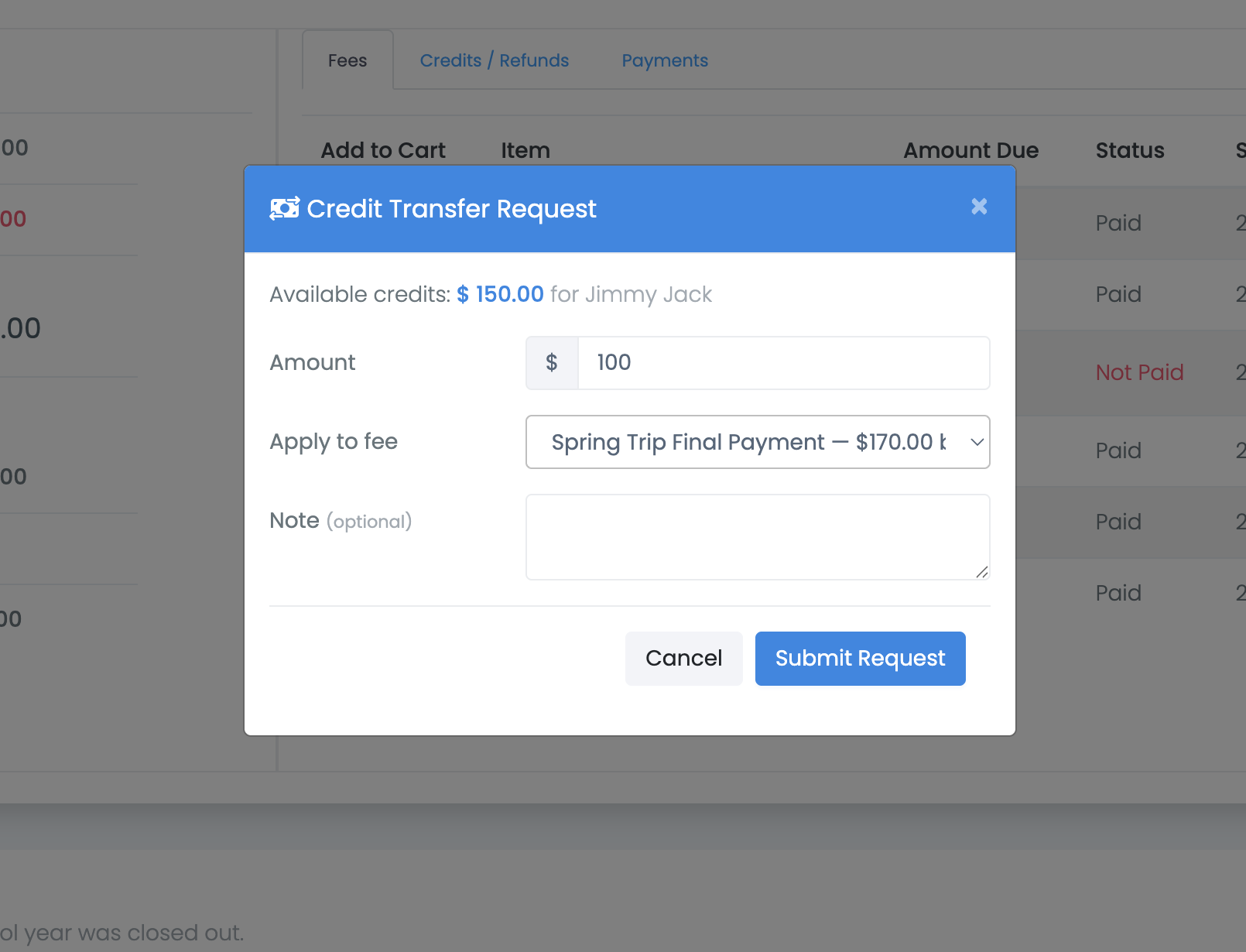
- Enter the amount. You can't enter more than you have available, or more than the fee still owes.
- Choose the fee.
- Add a note if you want, and submit.
Read the confirmation message
What happens next depends on your organization, and the message you get after submitting tells you which it is. The two look similar and mean very different things.
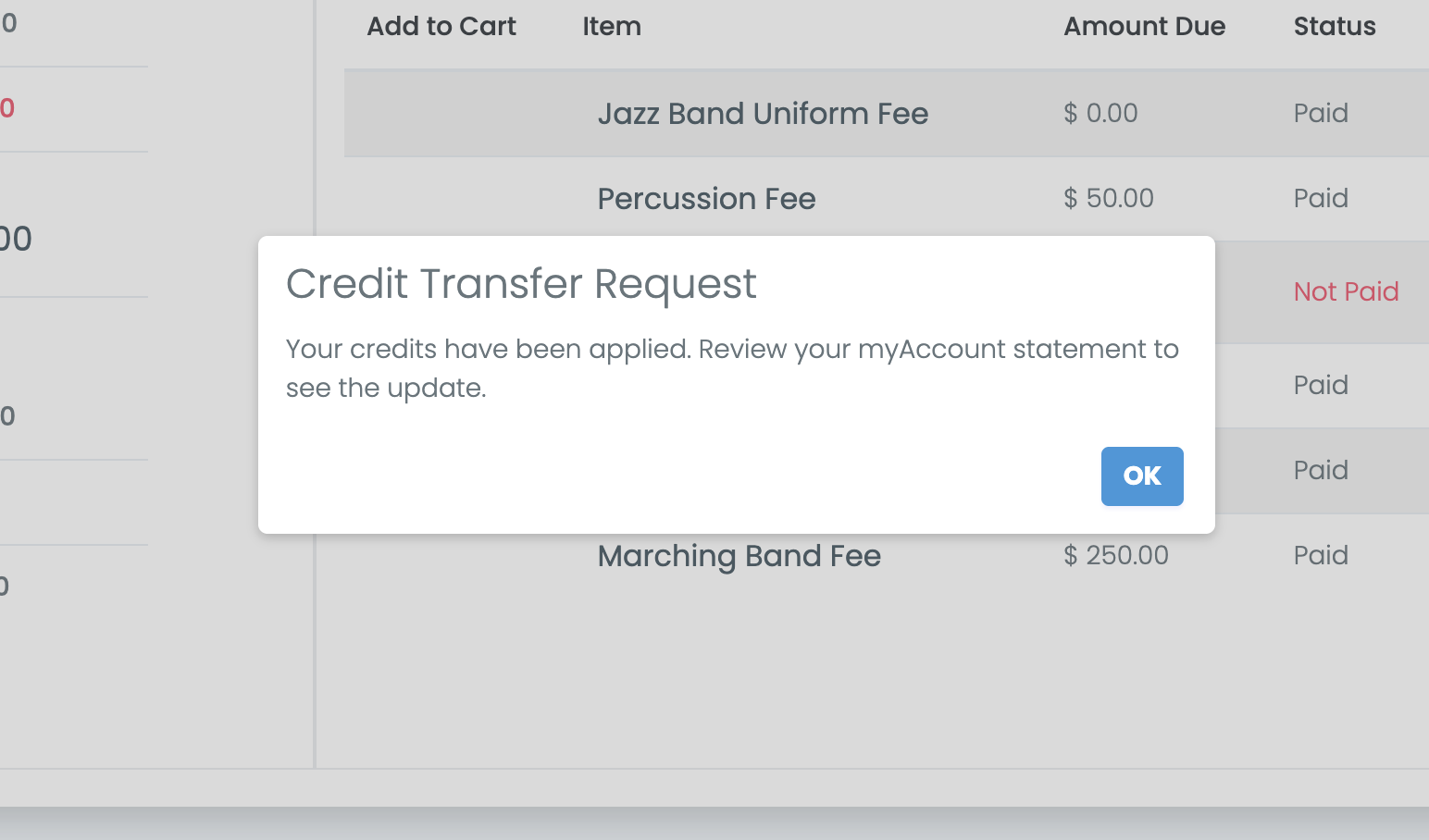
"Your credits have been applied." The transfer is done. Your statement already reflects it.
"Your request has been submitted for approval." Nothing has moved yet. An admin has to approve it first, and your balance will not change until they do.
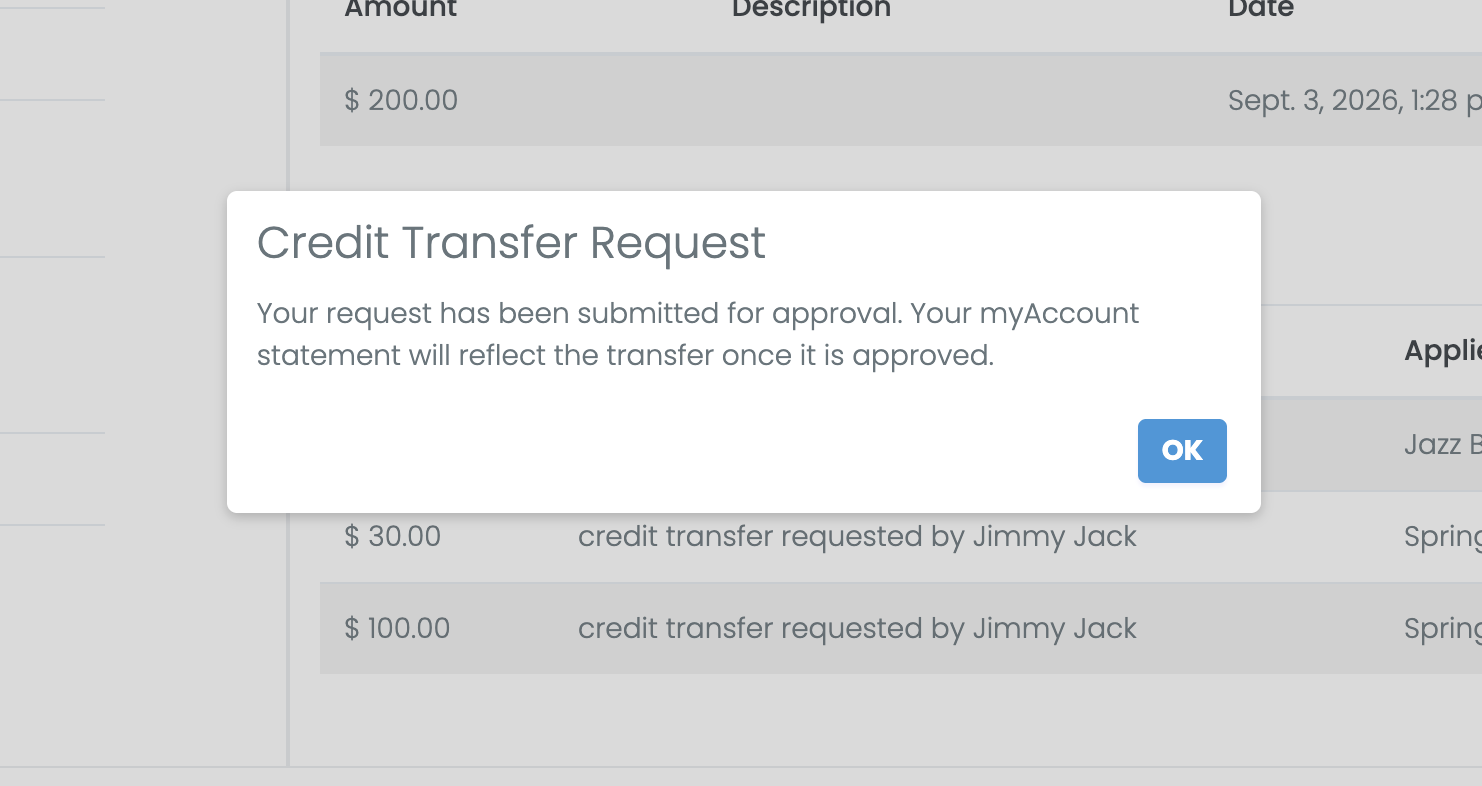
If you saw the second message, tick Email me when this is approved or denied when you submit and you'll hear back either way. There's no need to send the request again — a second request for the same fee is turned away while the first is still waiting.
Once applied, your credits show up under the Credits / Refunds tab of your statement, against the fee they went to.
Some fees have to be paid first
Your organization can require that certain fees are cleared before others. A fee you can't apply credits to yet is greyed out with the reason beside it, such as "Pay Uniform Fee first". Clear that fee and the other becomes available.
If you don't see the button, your organization either hasn't enabled it or you have no credits available. Ask your director to apply them for you.
Moving credit between students
Moving credit from one sibling to another is done by your director, not by families. Use the option on your statement to message them.
Common questions
My balance looks wrong. Compare Total Fees against the individual fees listed. If a charge is unexpected or a payment is missing, contact your director — they can see and correct the account. myblueboard support can't, because these are your organization's records.
I paid but the balance hasn't changed. Online payments post immediately; cash and check wait on your director. If an online payment hasn't appeared within a few minutes, check for a receipt email before paying again.
I want a refund. Ask your director. Refunds are their decision.
I can't see my student's statement. You need to be linked to them. See Connecting to your student.