Ticket Types and Pricing
A ticket type is one thing families can buy for an event — General Admission, Student, VIP, Reserved Front Section. An event needs at least one before it can sell anything.
Add them from Manage Event → Add Ticket Type.
What you set
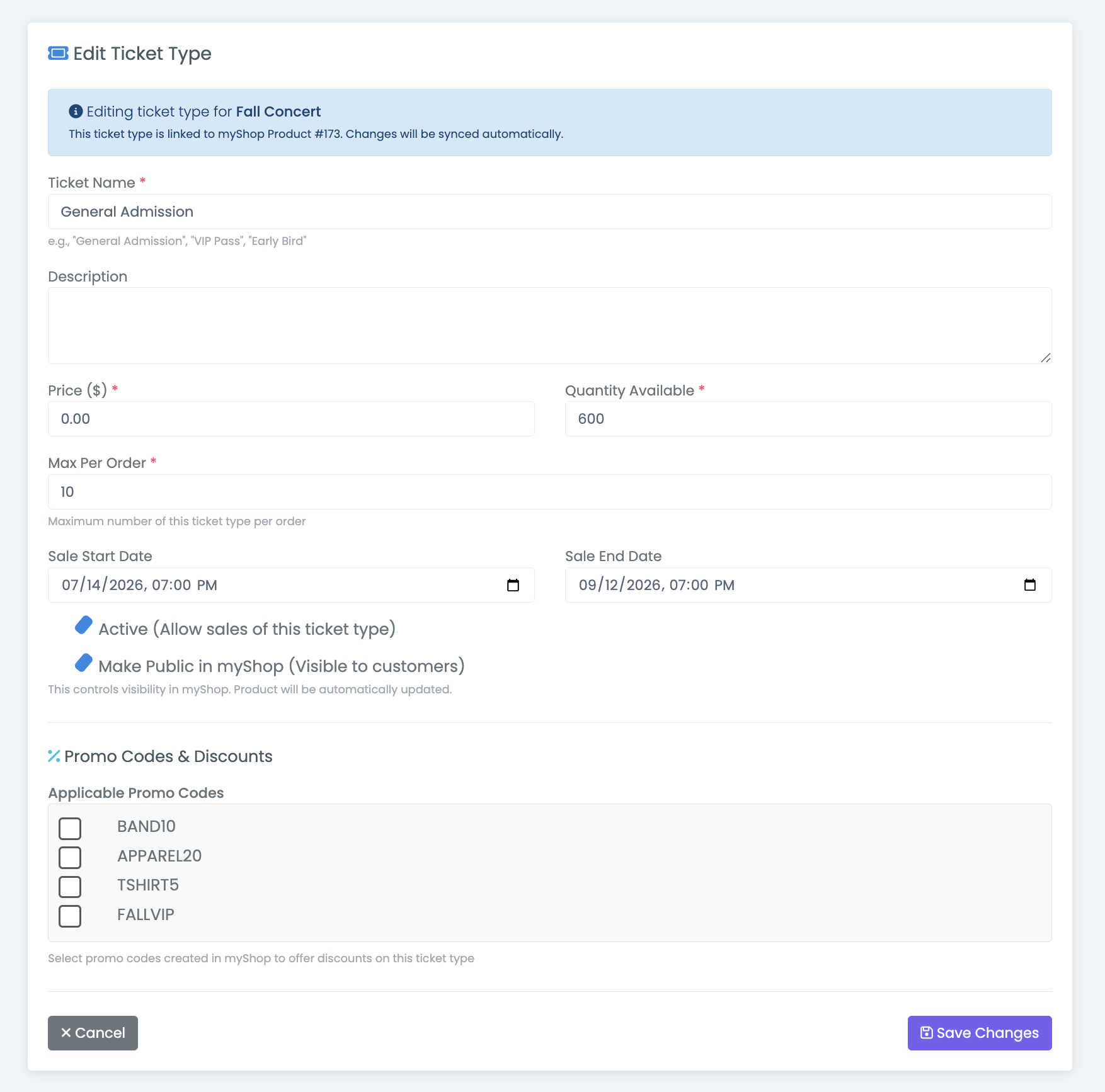
Ticket Name and Description appear on the public event page and in the myShop product.
Price ($) is per ticket.
Quantity Available is how many exist. myTickets counts tickets sold against it and marks the type SOLD OUT when they meet — the myShop product goes out of stock at the same moment.
Max Per Order caps how many one purchaser can take in a single order. It defaults to 10. Lower it when demand outstrips seats and you want to spread tickets across families.
Sale Start Date and Sale End Date are optional. Before the start, the event page says when tickets go on sale; after the end, it says sales have closed. Leave them blank to sell from the moment the event is published until it's sold out.
Active (Allow sales of this ticket type) and Make Public in myShop (Visible to customers) are two separate switches, and the difference matters:
- Turning off Active archives the linked myShop product — the ticket type is out of service
- Turning off Make Public in myShop leaves the product in place but hidden from families
Use Make Public in myShop off for a ticket type you sell only in person or only to a specific group. Use Active off when the type shouldn't exist any more but has already sold tickets.
Three things must line up for families to see a ticket
The ticket type is Active, Make Public in myShop is on, and the event is Published. Any one of the three being off hides it.
Saving a ticket type pushes the price, sold-out state and visibility to the linked myShop product — and rewrites the product's description from the event and ticket type details. If someone has hand-edited that description in myShop, it is replaced.
Promo codes
A ticket type can accept promo codes created in myShop. The Applicable Promo Codes list at the bottom of the form shows every active code; whatever you tick applies to that ticket type's product at checkout.
Codes only take effect once the ticket type has a myShop product behind it — see Selling tickets through myShop. Full behavior is in Promo codes.
Adding a type after you've started selling
If the event's other ticket types are already published to myShop, adding a new one automatically creates its myShop product too, so the storefront doesn't end up half configured. You'll see a confirmation naming the product that was added.
If none of the other types are in myShop yet, the new type waits with them until you run Create Shop Products.
Deleting a ticket type
A ticket type can only be deleted while no tickets have been sold for it. If any have, deletion is blocked with a count — even if other ticket types on the same event are untouched.
The confirmation spells out both things that go, and Tickets Sold on it is the number to read before you continue.
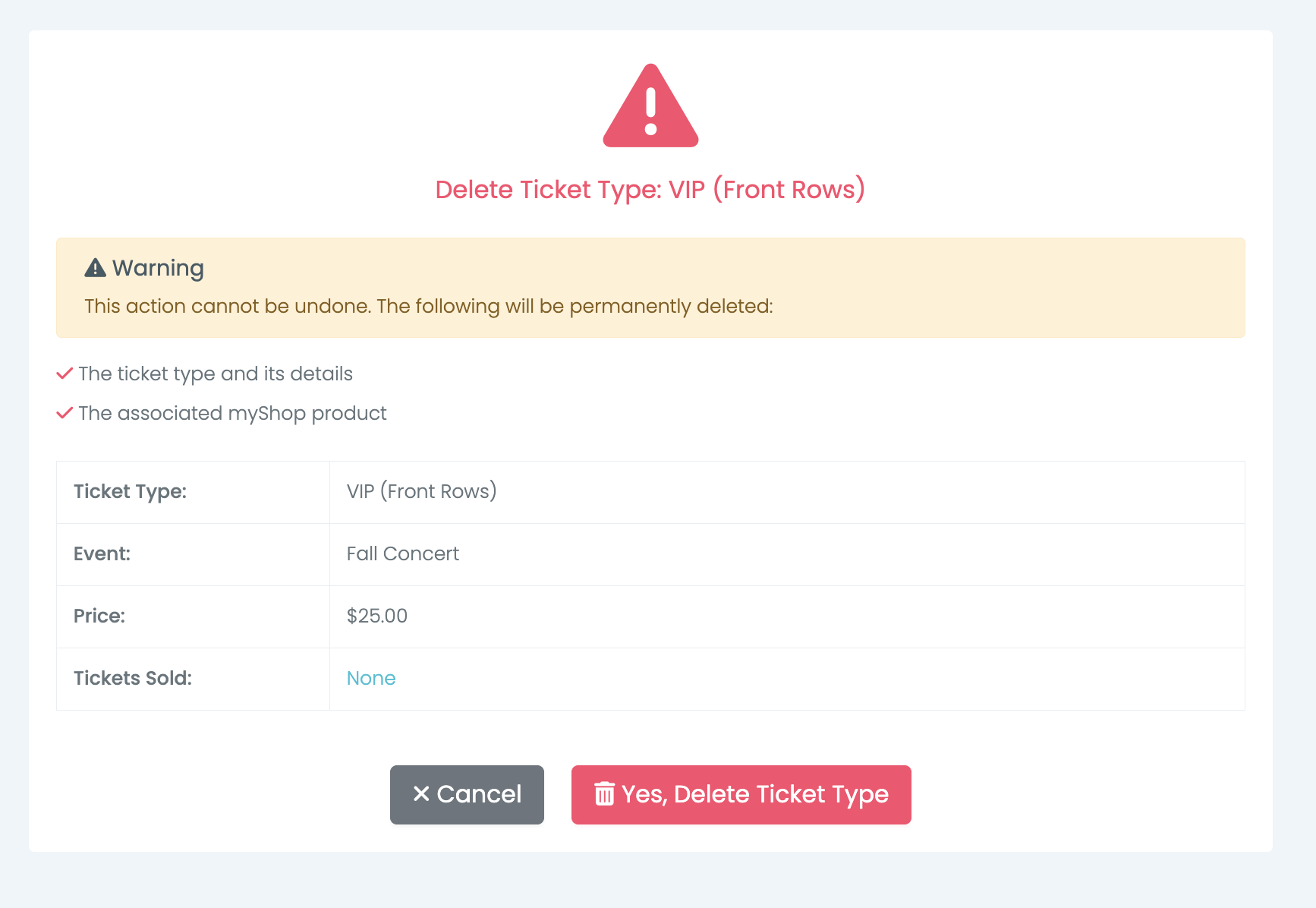
Deleting a ticket type also deletes its linked myShop product.
To retire a type that has already sold: turn off Active. It stops selling, its product is archived, and the tickets people already hold stay valid.