Resetting a User Password
Administrators can create a temporary password for a student, parent, or director who cannot sign in. Give the temporary password to the user directly. When they use it to sign in, myblueboard requires them to create a new password before they can continue.
The reset takes effect right away
The user's former password stops working as soon as you create the temporary password. If they were signed in already, they need to use the temporary password the next time they sign in.
When to use this
This is a secondary way to help someone regain access. Have the user choose Forgot Password on the sign-in screen first when they can receive email and use the self-service reset link.
Create a temporary password when the user cannot access the email address on their account, cannot use the self-service option, or needs help signing in.
Works on the website and mobile app
The same temporary password works in both the myblueboard website and the myblueboard mobile app. In either place, the user must create a new password before they can continue.
Before you begin
You need Accounts Access to reset another user's password.
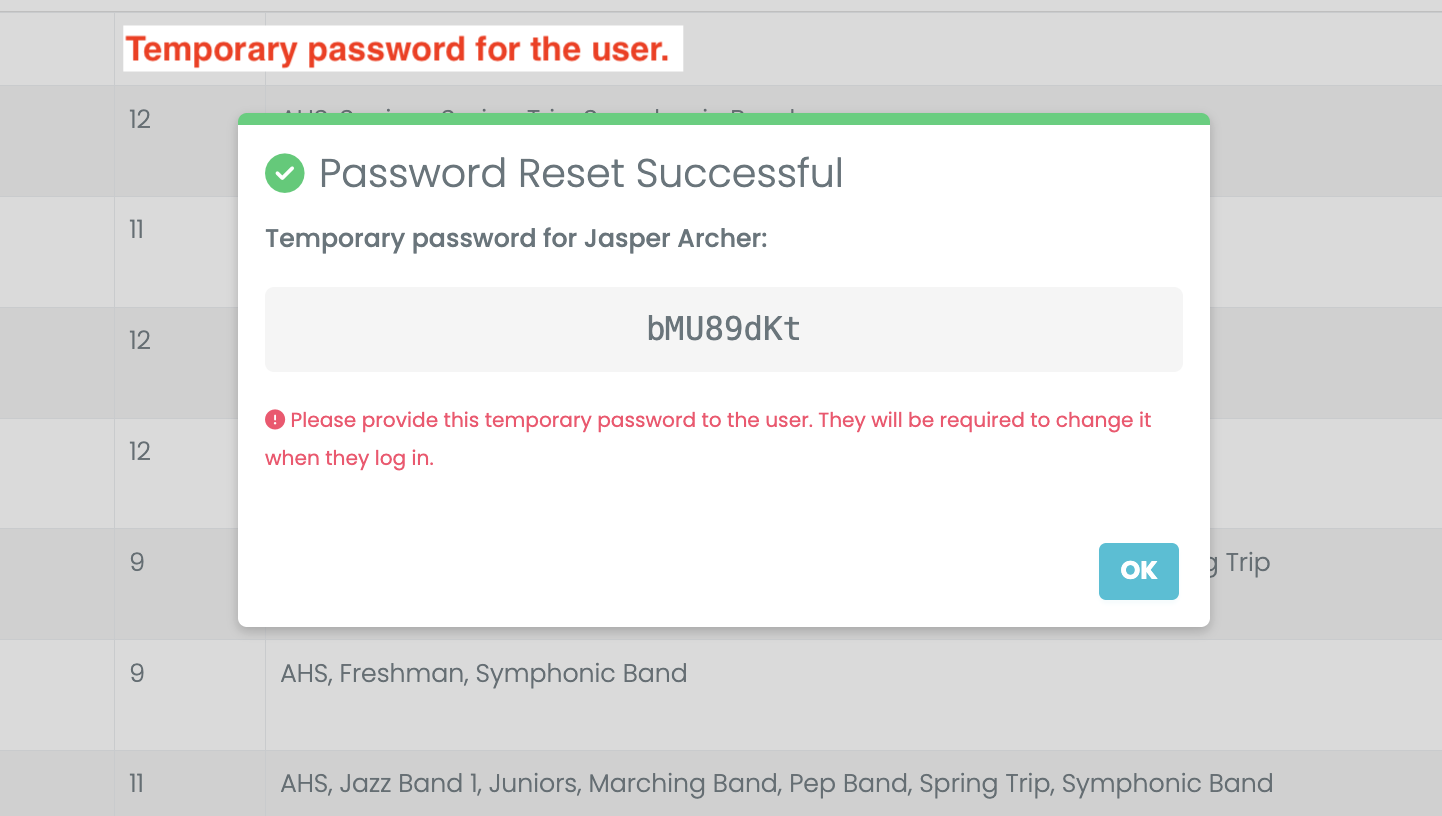
The temporary password appears only once. Give it to the user before closing the confirmation message. For their privacy, use a direct, private method such as a phone call, text message, or separate email.
Create a temporary password
- Open the account list for the person: Students, Parents, or Directors.
- Find the person's account and open its Edit menu.
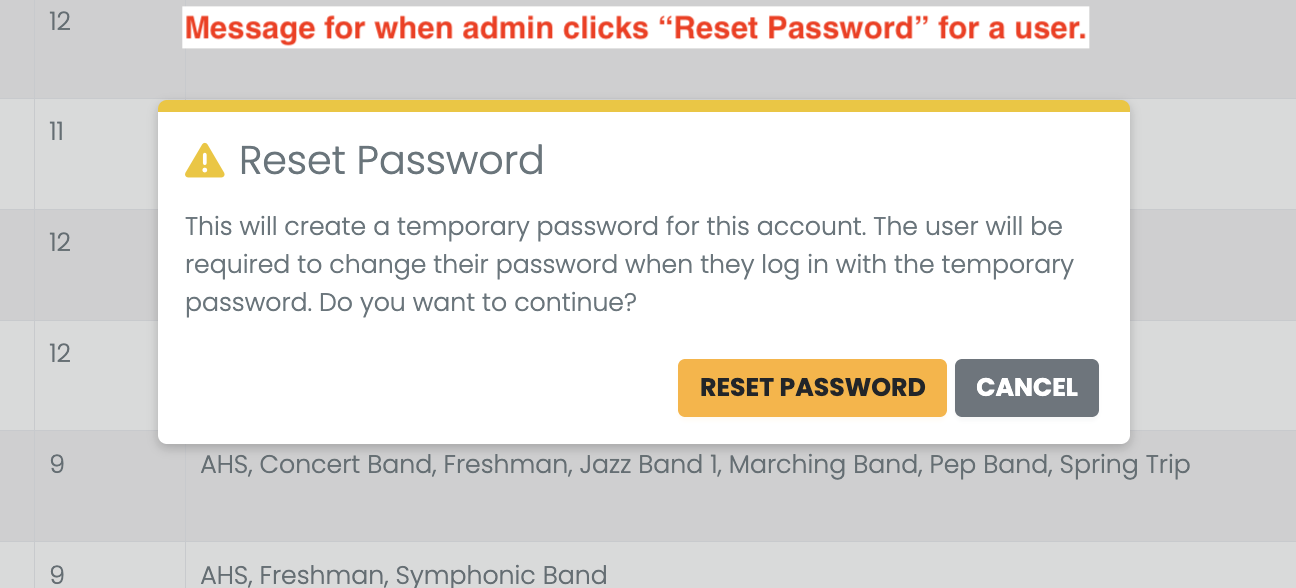
- Select Reset Password.
- Read the confirmation message and select Reset Password again.
- Copy the temporary password from the success message and give it to the user.
What the user does next
The user can complete these steps in the myblueboard website or mobile app.
- The user signs in with their usual email address and the temporary password.
- myblueboard opens Password Reset Required instead of the normal home screen.
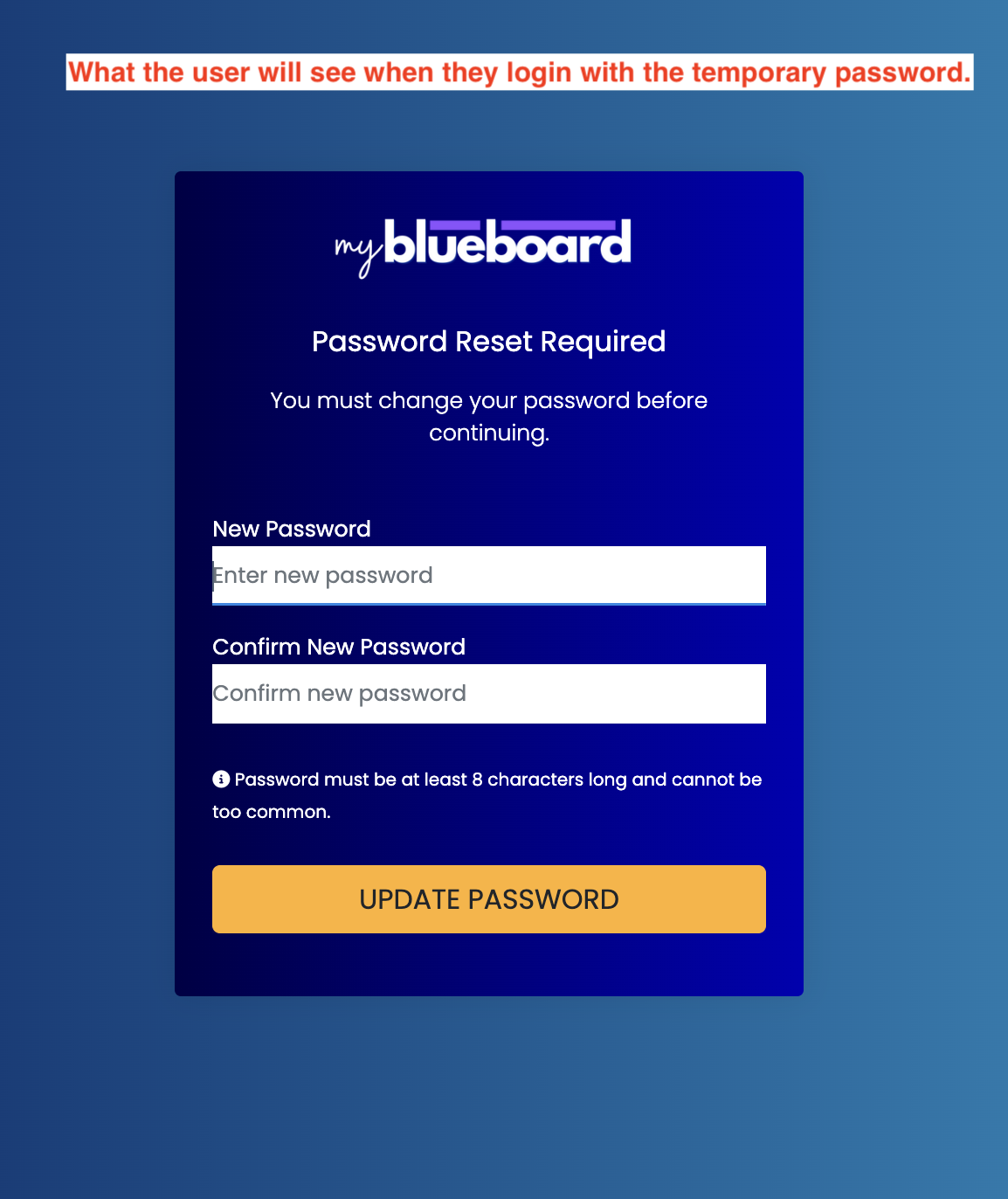
- The user enters and confirms a new password, then selects Update Password.
- They can continue using myblueboard with their new password.