Finding your event tickets
When you buy tickets, you get two separate emails:
- Your receipt — subject looks like "Acme Music Boosters Invoice 138"
- Your tickets, with the QR codes you scan at the door — subject looks like "Your Tickets for Fall Concert"
Both come from sender@myblueboard.com within a few seconds of each other.
Do this first
Add sender@myblueboard.com to your email contacts. It's the single thing that stops ticket emails going to Spam, this time and next time.
Can't find the ticket email?
Check your Spam or Junk folder first. That is where it almost always is. Searching your mailbox for Your Tickets for will usually turn it up, including in folders you don't normally look at.
If it isn't there, you don't need it — you can get to your tickets with your confirmation number.
Getting your tickets with your confirmation number
You need two things, and you already have both:
- Your confirmation number — a short code shown on the payment screen right after you paid, and printed on your receipt
- The email address you used when ordering
Your confirmation number appears twice on the receipt: at the top next to the order number, and again lower down as the Transaction Reference.
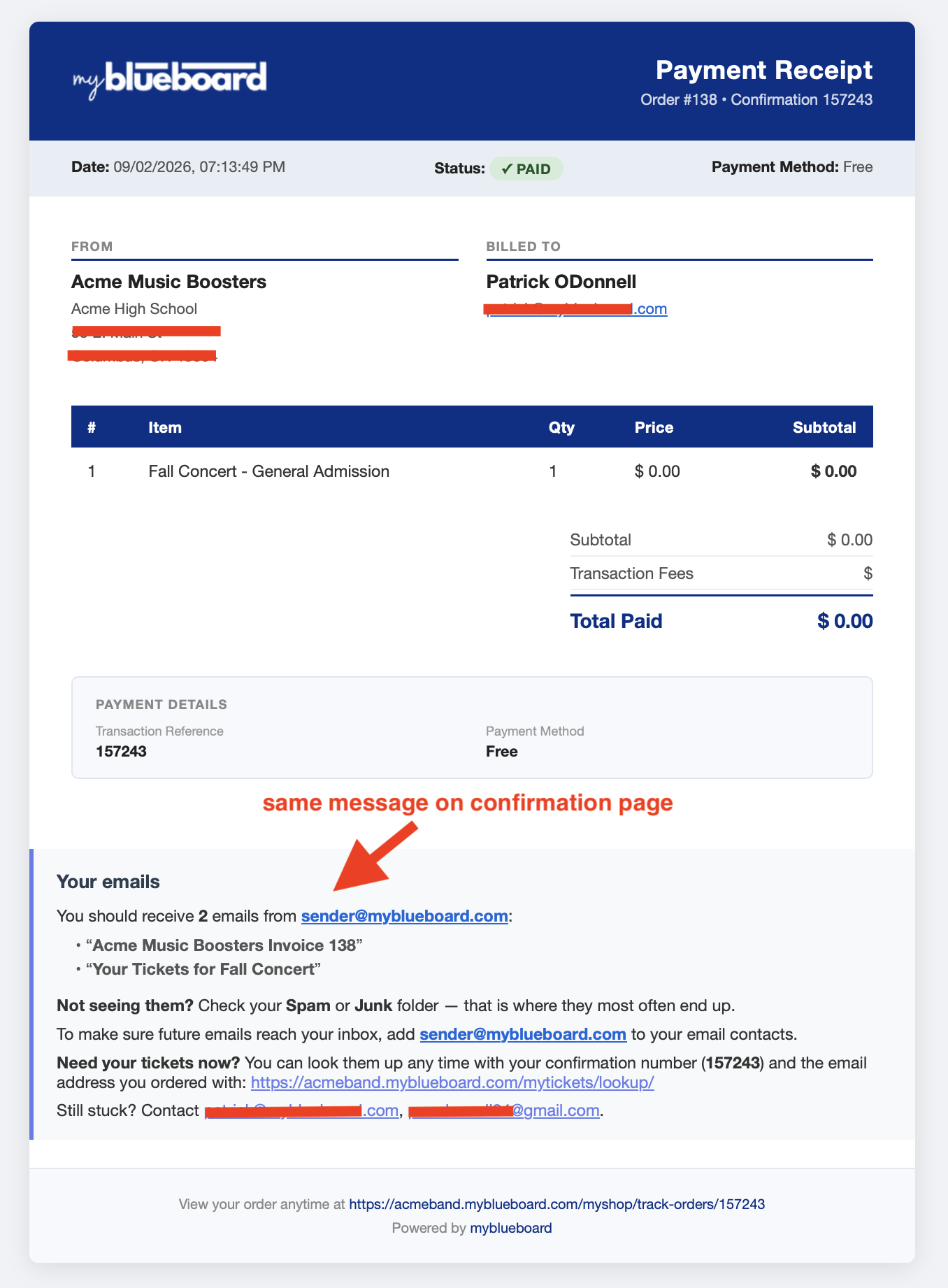
Go to your school's ticket lookup page — the link is on your payment screen and in your receipt, and it ends in /mytickets/lookup/. Enter both values and choose Find My Tickets.
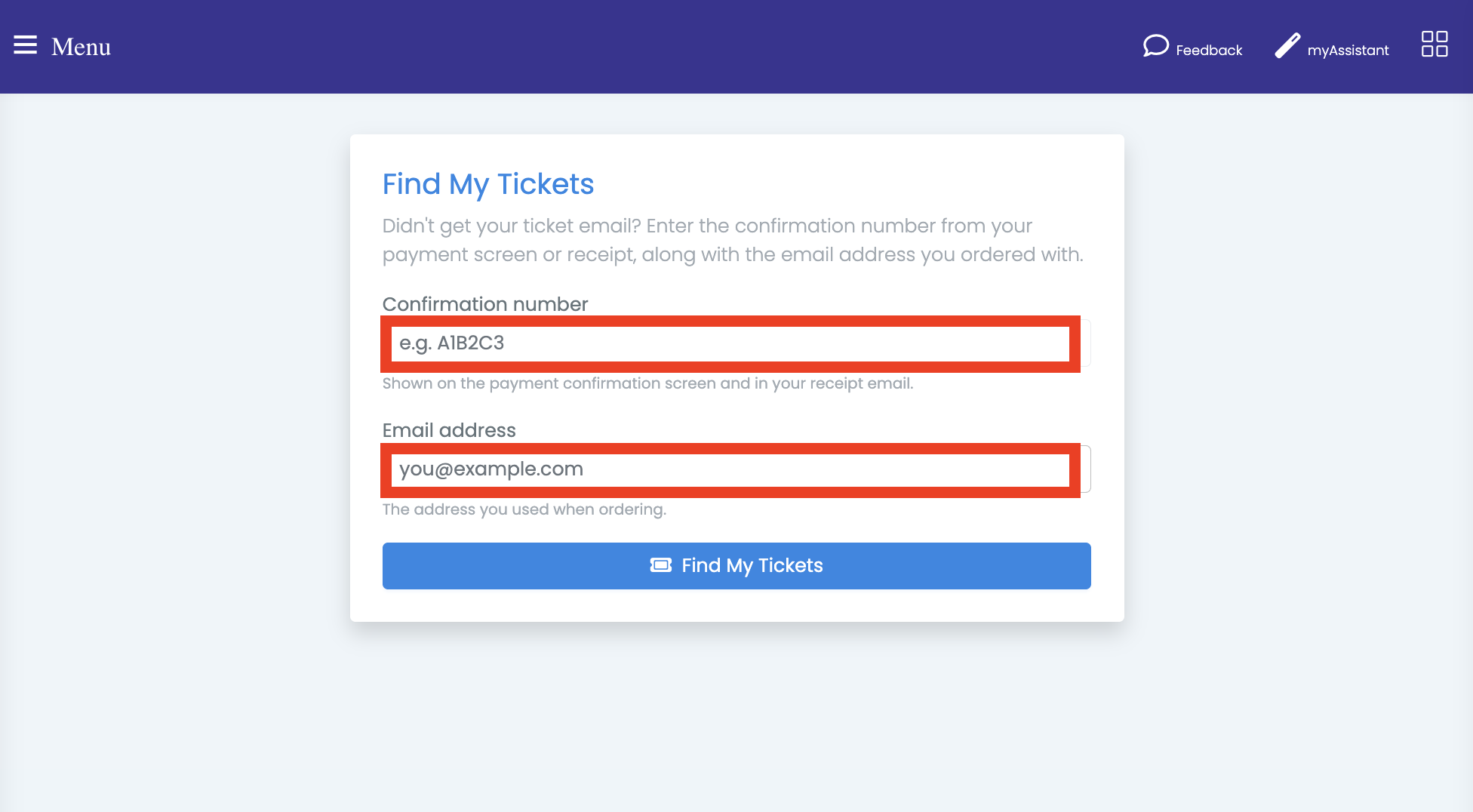
You don't need an account or a password, and capital letters don't matter in either field.
If it says it can't find your tickets
Both the confirmation number and the email address have to match the order. The most common cause is using a different address than the one you ordered with — a work address instead of a personal one, or a spouse's. Try the other address before anything else.
Your tickets
You'll land on your order, with a QR code for each ticket.
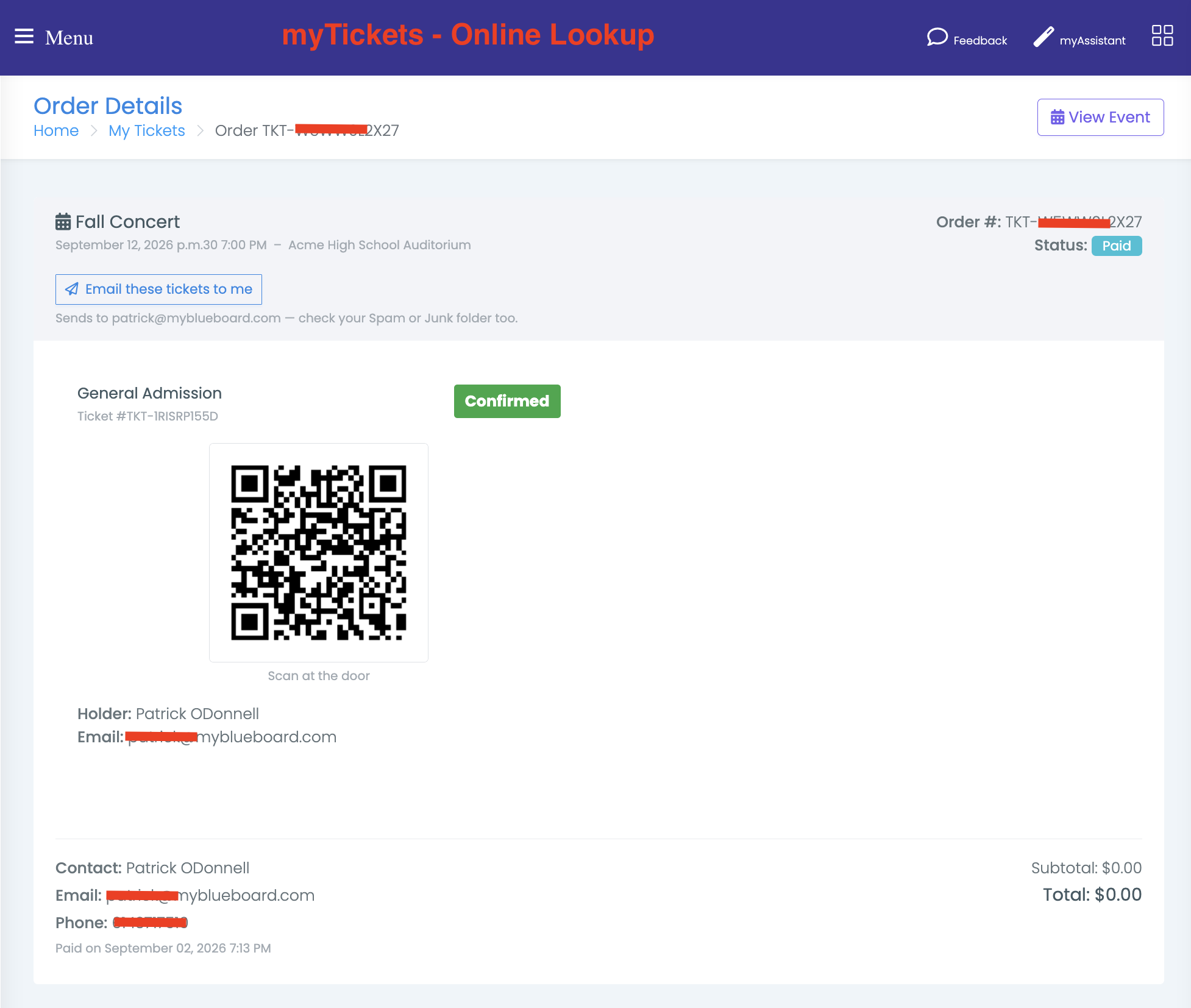
From here you can:
- Show the QR code at the door from your phone — it scans straight off the screen, so you don't need to print anything
- Bookmark the page and reopen it on the night
- Choose Email these tickets to me to have the ticket email sent again to the address on your order
Going with other people
Each ticket has its own QR code and each one is scanned separately. If your party is arriving at different times, either go in together or forward the ticket email to them.
Still stuck?
Your receipt and payment screen both list a contact address for your organization at the bottom of the "Your emails" panel — that's your booster or school contact, and they can resend your tickets directly.
Related
- Buying from your school's store — ordering, promo codes and tracking an order