When a Buyer Doesn't Get Their Ticket Email
A ticket purchase sends two emails: the myShop receipt, and a separate ticket email carrying the QR codes. They go out seconds apart from the same address — and the ticket one lands in Spam often enough that it's the most common myTickets support question you'll get.
Nobody has to wait for that email. A buyer can reach their tickets with the confirmation number they already have, and you can resend the email in one click.
What the buyer sees after paying
The payment confirmation screen now spells out what's coming, so a missing email is recognised straight away rather than an hour later.
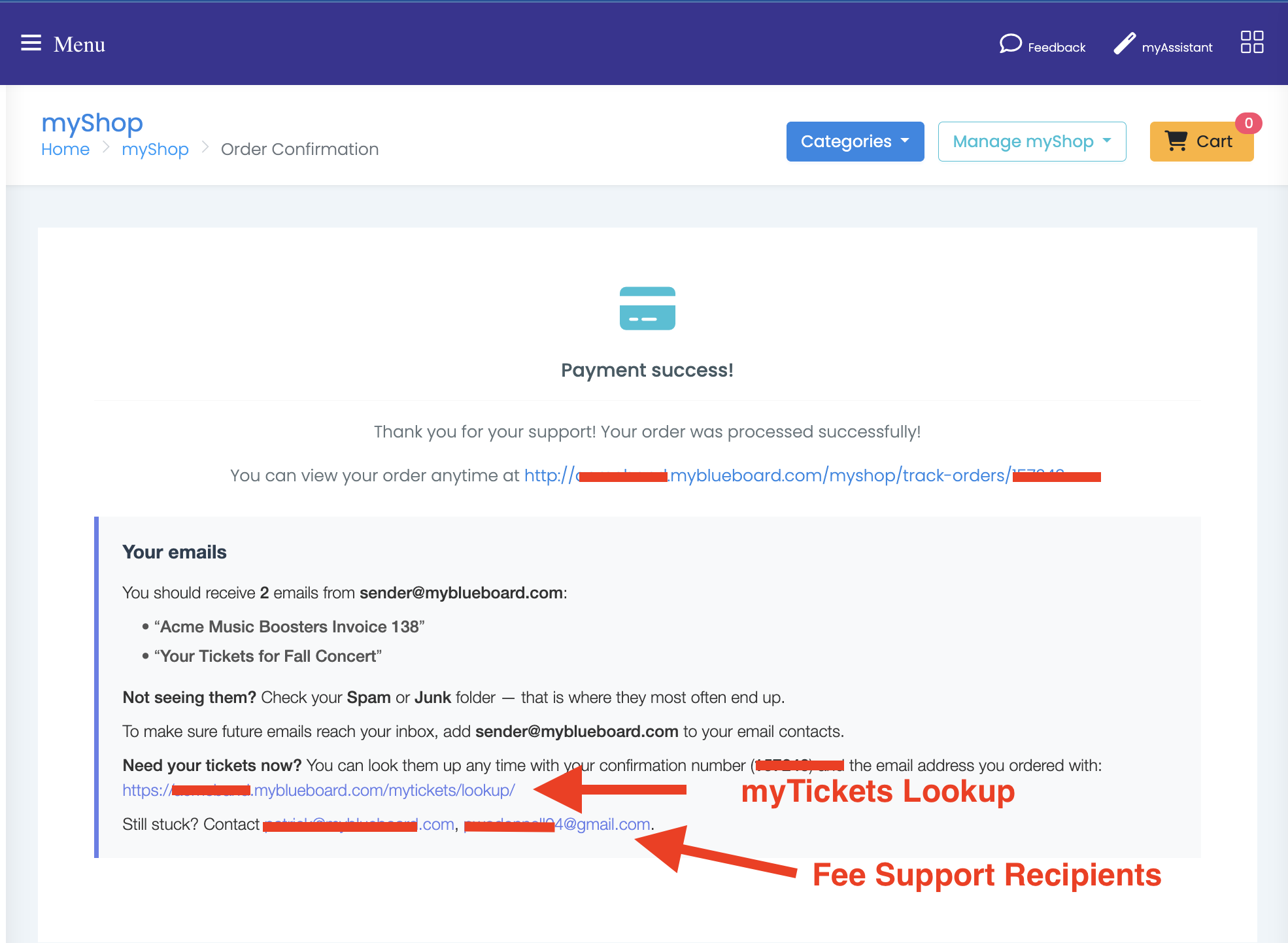
It names four things:
- How many emails, and their exact subjects — so they know precisely what to search for. The subjects are built from your organisation name and event title, so they match what actually arrives
- The sender address to allowlist, which prevents the problem next time
- Check Spam or Junk — where these actually end up
- A lookup link and their confirmation number, so they can get tickets immediately
The same block is repeated in the receipt email. That's deliberate: when the ticket email goes missing, the receipt is the one message you know reached them.
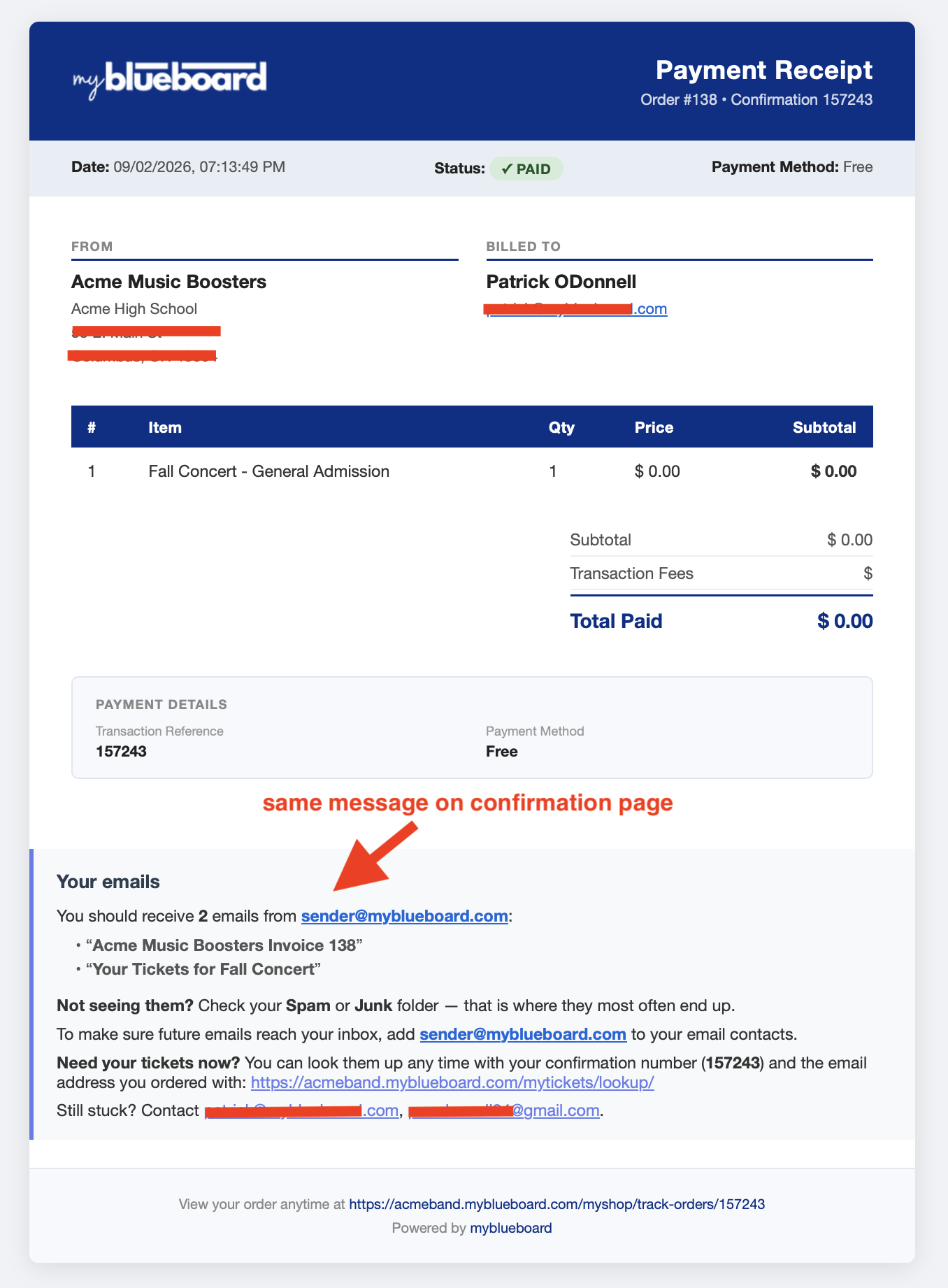
The receipt is also where the confirmation number is easiest to find later. It appears twice — in the header beside the order number, and again as the Transaction Reference under Payment Details — so a buyer who kept the receipt can always get back to their tickets.
Who the contact line points at
The "Still stuck? Contact…" addresses come from Fee Support Recipient(s) in Update School Settings. Set it to whoever handles ticket questions, or buyers are directed to myblueboard support instead of you. Separate multiple addresses with a semicolon.
Looking up tickets without the email
Buyers go to /mytickets/lookup/ — linked from the confirmation screen and the receipt.
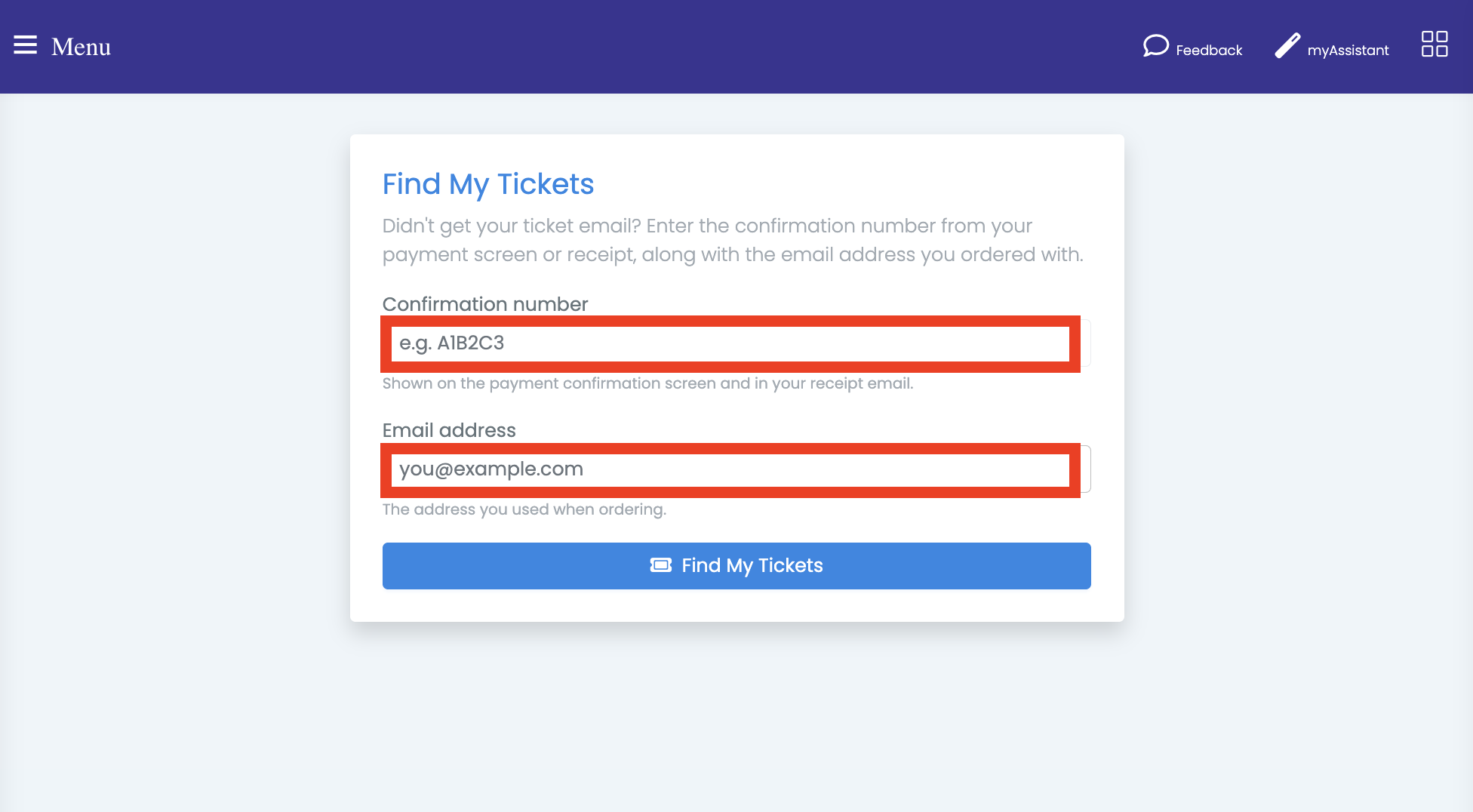
Two fields, and both must match:
- Confirmation number — the short code on the payment screen and receipt (shown in the receipt
header and as the Transaction Reference). Not the
TKT-order number, which only exists inside the ticket email they never got - Email address — the one used when ordering
No account, no password, no login. Case doesn't matter for either field.
Why the email address is required
The confirmation number is short, so on its own it would be guessable. Requiring the matching email address is what keeps someone from stumbling onto another family's tickets. If either field is wrong you get the same generic message, so the form can't be used to test whether a confirmation number exists.
The tickets
A match goes straight to the order, with a scannable QR code per ticket — the same page the ticket email links to.
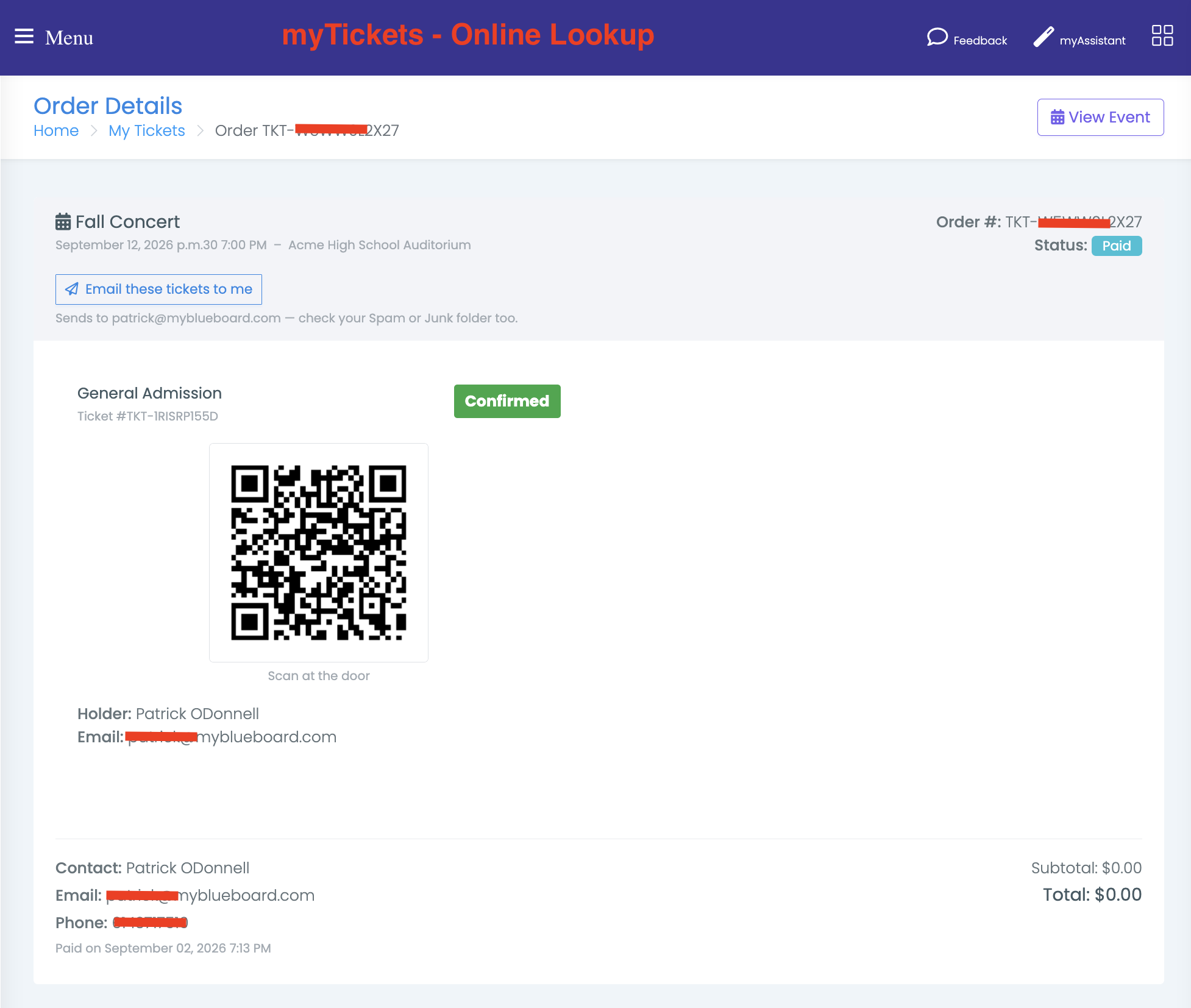
Buyers can show this on a phone at the door — the QR code scans from the screen. Email these tickets to me resends the ticket email to the address on the order, which is the fix when someone wants it in their inbox rather than a browser tab.
That button always sends to the address stored on the order, never one typed in, and it's limited to one send every couple of minutes.
Resending a ticket email yourself
From Manage Event, the Orders section lists every order for that event: order number, purchaser, email, ticket count, when it was paid, and when it was last resent.
Resend rebuilds the email from the current tickets and sends it to the purchaser's stored address. You'll get a confirmation naming the recipient, or a clear failure if the send didn't go through — it won't report success on a send that failed.
The Last resent column records who sent it and when, so repeat requests are visible. A resend by the buyer themselves shows as by purchaser.
Before resending a second time
If a buyer says the first resend never arrived either, check the Last resent column to confirm it actually went, then have them check Spam or Junk and add the sender to their contacts. Sending a third copy to the same folder won't help — send them the lookup link instead.
Which to use when
| Situation | What to do |
|---|---|
| Buyer is on the phone and needs tickets now | Send them to the lookup page |
| Buyer wants the email in their inbox | Resend from Manage Event → Orders, or have them use Email these tickets to me |
| Buyer has the receipt but not the tickets | Their confirmation number is on the receipt — lookup page |
| Buyer has neither email | Look the order up in Manage Event → Orders and resend |
| Emails keep going to Spam for one family | Have them add the sender address to their contacts |
Related
- Selling tickets through myShop — how a purchase becomes tickets
- Scanning tickets at the door — what happens to the QR code at the event
- Finding your event tickets — the same steps written for buyers; safe to send to a family